ANTIDETECT BROWSER SETUP
PROXIES FOR
ANTIDETECT BROWSERS
Set up a Prox’Easy proxy in AdsPower, BitBrowser, MoreLogin, GeeLark or Hubstudio: dedicated 4G for profiles that hold accounts, rotating mobile from $4.75/GB for research.
- 5 browsers covered
- Field names from each browser’s docs
- Change-IP field in 3 of 5
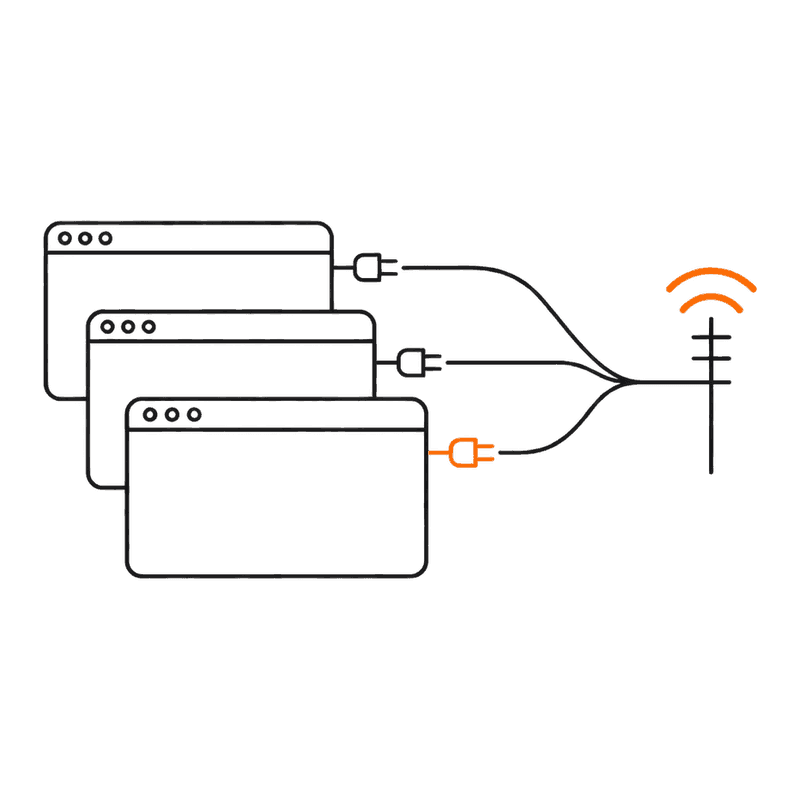
Which Prox’Easy proxy belongs in which profile?
Every browser on this page takes a proxy per profile as host, port, username and password, and the help pages of three of them — AdsPower, MoreLogin and Hubstudio — document a field for a mobile proxy’s change-IP link. For a profile that holds an account or a shop, the fit is one dedicated 4G proxy per profile, from $55 a month in France and $85 in the USA, Italy or Spain, with its change-IP URL pasted into that field. For profiles that only research, monitor or compare markets, the rotating mobile pool starts at $4.75/GB and takes the country in the username: user__cr.us for the United States. Each section below follows the browser’s own help page, linked beside it, with the field names that page uses.
IF YOUR PROFILE NEEDS
An account or shop that has to stay one identity — TikTok, Vinted, Instagram, an ad account
One carrier IP that no other customer uses, held for up to 24 hours in a sticky session and rotated on demand from its change-IP URL. Two profiles on one dedicated proxy share every rotation as well as the address.
Dedicated 4G or 5G, one per profile →IF YOUR PROFILE NEEDS
Rotating an account profile’s address between sessions without leaving the browser
AdsPower calls the field Change IP URL, MoreLogin calls it Refresh URL, Hubstudio calls it 刷新URL. The BitBrowser and GeeLark proxy guides linked below describe no such field; there you call the URL from your client area.
Dedicated 4G, change-IP URL in the browser’s own field →IF YOUR PROFILE NEEDS
Price checks, listing monitoring, ad checks or market research across many countries
A shared pool of carrier IPs — 4M+ unique mobile IPs seen in the last 30 days across 180+ countries (pool figures, Oct 2026) — billed from $4.75/GB down to $2.85/GB in packs that never expire. Country level only: no city, no carrier, no 4G/5G choice.
Rotating mobile, country in the username →IF YOUR PROFILE NEEDS
A named city
The rotating mobile pool targets countries only; the residential pool can target a city, and dedicated 4G/5G take a city preference at checkout.
Residential →IF YOUR PROFILE NEEDS
Cloud phone profiles — GeeLark, and the cloud phones inside MoreLogin and Hubstudio
A profile that presents as an Android phone sits most consistently on a mobile-carrier address. GeeLark sets the phone’s region from the proxy and recommends basing its language on the IP, and Hubstudio recommends SOCKS5 for its cloud phones.
Dedicated 4G, one per phone →IF YOUR PROFILE NEEDS
Mainland China IPs, for example for 抖音 (Douyin)
We have not verified coverage in mainland China, so we do not sell it as available. Check the live country list in your dashboard, or ask support before buying a pack for mainland use.
Ask before you buy →
How do I add a Prox’Easy proxy to AdsPower?
Dedicated 4G, one proxy per profile. AdsPower’s profile form has a Change IP URL field that its help page keeps for mobile proxies, so the change-IP URL from your client area goes there and the profile can be moved to a new address by refreshing that link. Rotating mobile belongs only on research profiles that do not stay logged in to an account; leave Change IP URL empty on those.
- BROWSER ACCEPTS
- HTTP · HTTPS · SOCKS5 · SSH
- PASTE FORMAT
Profile form: Host:Port, then Proxy username and Proxy Password in their own fields. Bulk (Proxy › Add Proxy), one per line: 192.168.0.1:8000:username:password{Remark}- CHANGE-IP FIELD
- Change IP URL
SETUP
- Open +New Profile and scroll to the Proxy section.
- Proxy type: choose HTTP, HTTPS or Socks 5 to match the endpoint listed in your client area.
- Host:Port, Proxy username and Proxy Password: copy them from your client area.
- Change IP URL: paste the dedicated proxy’s change-IP URL from your client area. Leave it empty for rotating mobile.
- Click Check Proxy. Connection test passed means AdsPower reached the proxy; Connection test failed means it did not.
- Click OK, open the profile and load proxeasy.net/tools/ip-lookup to confirm the exit IP, country and carrier network are the ones you ordered.
Watch for, and AdsPower’s own words
- One link moves every profile on it. AdsPower’s help says that when several profiles use the same proxy, refreshing the change-IP link changes the IP for each of them, so give every account its own dedicated proxy.
- The bulk Add Proxy examples attach a change-IP link only in forms like socks5://192.168.0.1:8000[Change IP URL]{Remark}, and none of those forms carries a username or password. For a dedicated proxy with credentials, use the profile form, or edit the proxy in the list after importing it.
- If Check Proxy fails on details you have already compared with your client area, AdsPower’s troubleshooting page points at a VPN or proxy running on the computer itself: turn it off, reboot, and test again.
- The proxy list colours each Outbound IP after a check: green for a passed connection test, red for a failed one, grey while it waits.
“This URL is exclusive for mobile proxies.”
Sources, read 2026-10-11: AdsPower Help Center — Proxy Types · AdsPower Help Center — Proxies: Add, Buy, Renew, Check, Filter · AdsPower Help Center — Proxy failure. Menus move between versions; if a field name differs, the guide is the authority.
How do I add a Prox’Easy proxy to BitBrowser?比特浏览器
Dedicated 4G for every window (浏览器窗口) that holds an account. BitBrowser’s setup guide for HTTP, HTTPS, SOCKS5 and SSH proxies describes no change-IP field, so rotate by calling the change-IP URL from your client area, then run 代理检测 (proxy check) again before reopening the window. Rotating mobile suits research windows, with the country added to the 代理账号 (proxy account) as user__cr.us.
- BROWSER ACCEPTS
- HTTP · HTTPS · SOCKS5 · SSH
- PASTE FORMAT
Window form: 代理主机, 代理端口, 代理账号, 代理密码 in separate fields. Bulk template (导入窗口模板), 代理信息 column: host:port:username:password, e.g. 11.22.33.44:8888:user:password, with the protocol in the 代理类型 column- CHANGE-IP FIELD
- None in the linked guide — rotate from your client area
SETUP
- In the client, open 浏览器窗口 (browser windows) in the left menu and click 创建窗口 (create window).
- 代理方式 (proxy method): choose 自定义代理 (custom proxy).
- 代理类型 (proxy type): http, https or socks5, matching your endpoint.
- 代理主机, 代理端口, 代理账号, 代理密码 (host, port, account, password): copy them from your client area.
- IP查询渠道 (IP lookup channel): IP-API or IP123.
- To check it, click the window’s fingerprint icon (指纹图标) to open 修改代理 (edit proxy), then click 代理检测.
- In bulk: the V icon beside 创建窗口 › 批量导入窗口 (bulk import windows), download the 导入窗口模板 Excel template, fill 代理类型 and 代理信息, save and import.
Watch for, and BitBrowser’s own words
- From a mainland connection, an overseas proxy may not work properly. BitBrowser’s FAQ says the overseas IPs it recommends need the computer’s own network to be a foreign one, and its fix page says that if 代理检测 passes but pages still will not open on a domestic network, try the proxy from an overseas network.
- If 代理检测 fails, BitBrowser’s fix page treats it as a problem with the proxy, to raise with whoever supplied it. With us, compare the four fields against your client area first, then contact support.
- The bulk template’s 代理信息 line carries no scheme: the protocol goes in 代理类型, and the line itself is host:port:username:password.
- Calling a change-IP URL moves every window on that dedicated proxy at once, so keep one proxy per window.
“代理主机:代理端口:代理用户名:代理密码”
“若提示失败,则是代理问题,需联系代理供应商解决”
“需要你的电脑本地网络环境是国外网络”
Sources, read 2026-10-11: BitBrowser 帮助中心 — 设置http/https/sock5/ssh代理IP · BitBrowser 帮助中心 — 打开浏览器代理失败解决方法 · BitBrowser 帮助中心 — 打开浏览器代理失败常见原因. Menus move between versions; if a field name differs, the guide is the authority.
How do I add a Prox’Easy proxy to MoreLogin?
Dedicated 4G, one per profile, with its change-IP URL in Refresh URL — MoreLogin keeps that field for mobile proxies, and the same proxy settings serve browser profiles and cloud phone profiles. Rotating mobile goes on research profiles only, with Refresh URL left blank.
- BROWSER ACCEPTS
- HTTP · HTTPS · SOCKS5 · SSH
- PASTE FORMAT
Batch Add, one per line, up to 100: ProxyType://ProxyHost:ProxyPort:ProxyAccount:ProxyPassword — or ProxyType://ProxyAccount:ProxyPassword@ProxyHost:ProxyPort- CHANGE-IP FIELD
- Refresh URL
SETUP
- On the proxy list page, open Add Proxy › Add Individually.
- Proxy Type: HTTP, HTTPS or socks5, matching your endpoint.
- Proxy Information: host, port, account and password from your client area.
- Refresh URL: paste the dedicated proxy’s change-IP URL.
- IP Query Channel: IP2location, MaxMind, DB-IP or IP-API. MoreLogin notes the channels can disagree slightly; if the location shown looks wrong, switch channel.
- Check it: select your proxies in the list and run Batch Detection Proxy. The status should read Normal, not Detection Failed.
- Attach it: Profiles › Browser › Edit Proxy on an existing profile, or New Profile › Browser Profile › Advanced Settings for a new one. Cloud phones use Profiles › Cloud Phone Profiles › Edit Proxy.
- Open the profile and load proxeasy.net/tools/ip-lookup to confirm the exit IP, country and carrier network.
Watch for, and MoreLogin’s own words
- One Refresh URL rotates every profile on that proxy; MoreLogin says so in both of its proxy setup articles. One dedicated proxy per profile.
- An @ or a colon inside any field breaks Batch Add parsing. MoreLogin’s answer is to add that proxy with Add Individually.
- In Batch Add, a line without a proxy type is imported as SOCKS5. Write http:// or socks5:// at the start of every line so the type matches your endpoint.
- Batch Add takes one proxy per line, up to 100 at a time, and ignores duplicates.
“When multiple profiles use the same mobile proxy, refreshing the IP will change the access address for all these profiles.”
“The fields in proxy information should not contain "@" or ":" symbols, as this can cause parsing errors.”
“The refresh URL is only used for mobile(dynamic) proxies.”
Sources, read 2026-10-11: MoreLogin Help Center — Add Proxy · MoreLogin Help Center — Self-owned Proxy Settings · MoreLogin Help Center — Proxy Management. Menus move between versions; if a field name differs, the guide is the authority.
How do I add a Prox’Easy proxy to GeeLark?
GeeLark profiles are Android cloud phones, so a carrier address matches the device each profile presents. Use a dedicated 4G proxy per phone for accounts. GeeLark’s Proxies and Profile help pages describe no change-IP field, so rotate from the change-IP URL in your client area and run Check Proxy afterwards. Rotating mobile fits research phones, with the country in the login as user__cr.us.
- BROWSER ACCEPTS
- HTTP · HTTPS · SOCKS5
- PASTE FORMAT
Proxies › Add proxy, one per line: Proxy type://Host:Port:Login:Password, e.g. socks5://100.200.200.100:30000:AD000004:3300002- CHANGE-IP FIELD
- None in the linked guide — rotate from your client area
SETUP
- Open the Proxies section and click Add proxy.
- Enter one proxy per line as Proxy type://Host:Port:Login:Password, using the details from your client area.
- Run Proxy Tests while adding to see the connection and location, then confirm with OK. IP query channels: IP2Location or IP-API.
- New Profile: in the proxy step, pick it from the Saved proxies dropdown — which shows each proxy’s country and how many profiles already use it — or enter it under Custom.
- Click Check proxy before you finish creating the phone.
- Leave the phone’s region and language on Based on IP, as GeeLark recommends, so both follow the proxy’s country.
Watch for, and GeeLark’s own words
- The proxy decides how the phone presents itself. With region and language on Based on IP, a French proxy gives the phone a French region and a language picked from that proxy, so put the right country’s proxy in place before you create the profile.
- Watch the linked-profiles count beside each saved proxy: a dedicated proxy should show one. GeeLark’s random matching only prefers proxies not used before, so assign account phones by hand.
- A proxy still linked to a profile cannot be deleted; unlink it first.
- Rotating a dedicated proxy changes the address of every phone that uses it.
“Both static and rotating proxies are supported and can be configured accordingly.”
“Geelark will automatically select the most suitable region based on the installed proxy or connection type”
“Proxy type://Host:Port:Login:Password”
Sources, read 2026-10-11: GeeLark Help Center — Proxies · GeeLark Help Center — Profile. Menus move between versions; if a field name differs, the guide is the authority.
How do I add a Prox’Easy proxy to Hubstudio?
Dedicated 4G, one per environment (环境), with its change-IP URL in 刷新URL. Hubstudio keeps that field for mobile proxies and says to leave it blank when the provider supplies no link — leave it blank on rotating mobile, which changes address per request or when a sticky session ends. The same proxy reaches Hubstudio’s cloud phones through 网络设置 (network settings).
- BROWSER ACCEPTS
- SOCKS5 · HTTP · HTTPS · SSH
- PASTE FORMAT
批量添加 (batch add), one per line, up to 100: 代理类型://代理host:代理端口:代理账号:代理密码 (type://host:port:account:password) — or 代理类型://代理账号:代理密码@代理host:代理端口- CHANGE-IP FIELD
- 刷新URL (refresh URL)
SETUP
- In the 代理视角 (proxy view) on the left of the Hubstudio home screen, open 添加代理 › 单个添加 (add proxy › add one).
- 代理类型 (type): Socks5, Http or Https, matching your endpoint.
- 代理信息 (proxy details): host, port, account and password from your client area.
- 刷新URL (refresh URL): paste the dedicated proxy’s change-IP URL; leave it blank for rotating mobile.
- 代理协议 (IP version): keep the default, 速度优先 (speed first); choosing IPv4 or IPv6 makes the environment use only that type.
- IP查询渠道 (IP lookup channel): IP2location, MaxMind or DB-IP.
- Attach it: 新建环境 › 浏览器环境 (new environment › browser environment) for a new profile, or 修改代理 (edit proxy) on an existing one. For a cloud phone, open 网络设置.
- Run 检测代理 (check proxy) and start the environment or phone only once it passes.
Watch for, and Hubstudio’s own words
- Batch import cannot parse a field that contains @ or a colon. Add such a proxy through 单个添加 instead.
- 检测代理 needs your side of the connection to reach abroad: Hubstudio says the check also requires a global overseas network environment, prepared in advance. From mainland China, run it over a connection that is routed overseas.
- With IP变更提醒 (IP change alert) ticked, the environment raises a security alert whenever the proxy IP changes. Expect one after every rotation you trigger.
- A batch line without a type is imported as SOCKS5, and Hubstudio recommends SOCKS5 for its cloud phones.
- A change-IP call moves every environment on that dedicated proxy, so keep one proxy per environment.
“刷新URL仅用于移动代理。(如果代理服务商没有提供就不需要填写)”
“代理信息中的字段不允许带有“@”或“ :”符号,会导致解析异常”
“还需要全局海外的环境”
“建议使用socks5协议的代理”
Sources, read 2026-10-11: Hubstudio 帮助中心 — 添加代理 · Hubstudio 帮助中心 — 代理设置. Menus move between versions; if a field name differs, the guide is the authority.
Questions about proxies in antidetect browsers
What is the best proxy for AdsPower?
For a profile that holds an account, a dedicated 4G proxy of its own: one carrier IP that no other customer shares, sticky for up to 24 hours, with its change-IP URL in AdsPower’s Change IP URL field. It costs $55 a month in France and $85 in the USA, Italy or Spain; dedicated 5G is $70 in France and $110 in the USA. For research profiles that need many countries rather than one identity, rotating mobile from $4.75/GB is the better fit.
Can several antidetect profiles share one mobile proxy?
They can connect through it, but they move together. AdsPower and MoreLogin both state that refreshing a mobile proxy’s link changes the IP of every profile using it, and profiles on one address arrive at every site from the same IP. Give each account profile its own dedicated proxy.
Where does the change-IP URL go in each browser?
In AdsPower it goes in Change IP URL, in MoreLogin in Refresh URL, and in Hubstudio in 刷新URL; each help page keeps that field for mobile proxies. The BitBrowser and GeeLark proxy guides linked on this page describe no such field, so call the URL from your client area and re-run the browser’s proxy check. Either way, every profile on that proxy gets the new address.
Can I use rotating mobile proxies in an antidetect browser?
Yes, on profiles that browse rather than stay logged in to one account. Enter the host, port and credentials from your client area with the country in the username — user__cr.us for the United States — and give every browser profile a sticky session or one of ports 11000–20000, which each keep one IP: by default the pool hands out a new address per request, and a single page load makes many requests. Your dashboard builds the sticky username, for 1 to 120 minutes. Packs start at $4.75/GB and never expire.
Why does the proxy check pass but pages will not load from China?
BitBrowser’s own fix page points at the local network: when 代理检测 passes but pages will not open on a domestic connection, it says to try the proxy from an overseas network. Its FAQ adds that the overseas IPs it recommends need the computer’s local network to be a foreign one, and Hubstudio says its 检测代理 also needs a global overseas environment on your side. Sort out the route abroad first, then test again.
Does a dedicated proxy stop antidetect profiles from being linked or banned?
No. A proxy changes one signal, the network, and it does not prevent a platform from linking or restricting accounts on the others: the fingerprint each profile presents, the account’s age and history, and how it behaves. It will not lift a restriction that already exists or make a reused profile new. What a dedicated proxy does is keep each profile on its own consistent carrier address; the platform’s terms and our Acceptable Use Policy still apply to everything you run through it.
Do you have Chinese IPs?
Not as something we can promise. Dedicated 4G is sold in France, the USA, Italy and Spain, and dedicated 5G in France and the USA. We have not verified rotating-pool coverage in mainland China; check the live country list in your dashboard, or ask support before buying a pack for mainland use.
ONE PROXY PER PROFILE,
READY IN YOUR BROWSER
Dedicated 4G for profiles that hold accounts, rotating mobile from $4.75/GB for research profiles. Pay by PayPal or crypto.